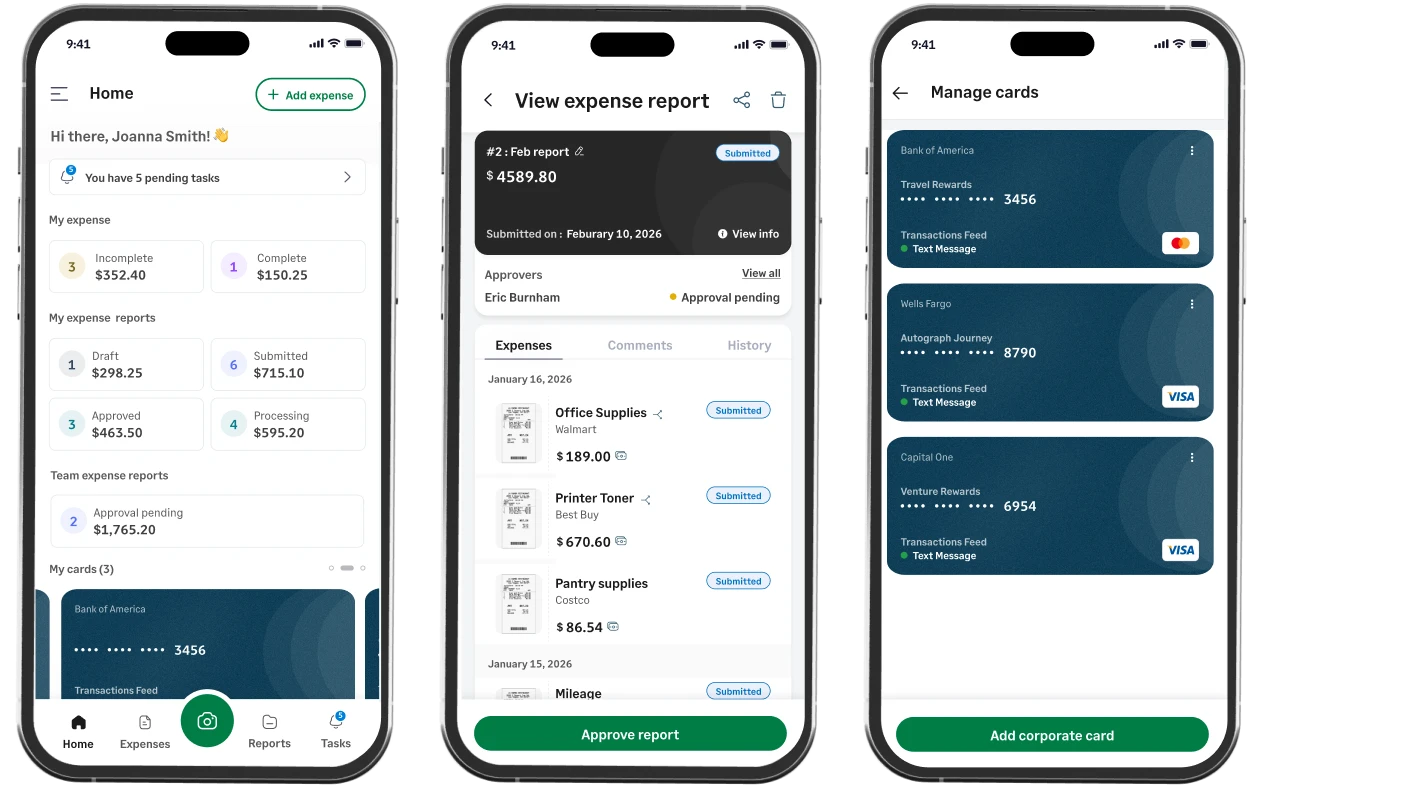



An expense management app that moves at your speed

Sage Expense Management (formerly Fyle) empowers managers and teams to efficiently track, approve, and manage expenses via the mobile app anywhere, anytime.

Sage Expense Management mobile app can help streamline business expenses on the go
Rating stars 4.6/5 1775+ reviews

Trusted by 2500+ Customers

  • Aprio logo
  • Centric logo
  • Disruptive logo
  • E3 Environmental logo
  • Encore logo
  • May Mobility logo
  • Keystone logo
  • Sprenger logo
  • Classic Collision logo
  • TST Construction logo
  • Williams homes logo

All in one mobile app for managing corporate expenses on the go

Give teams an easier way to capture receipts, log business mileage and per diem, and report expenses as they happen.

Manage company spend anywhere, anytime

  • Report expenses as they happen
  • Track every mile effortlessly
  • Get reimbursed on time
  • Easy, intuitive dashboard

Got paper receipts? Let your employees snap a photo and submit expenses on the go.

Our OCR automatically extracts receipt details and completes expense forms. Even in offline mode, expenses can be captured at remote job sites and automatically synced once back online.
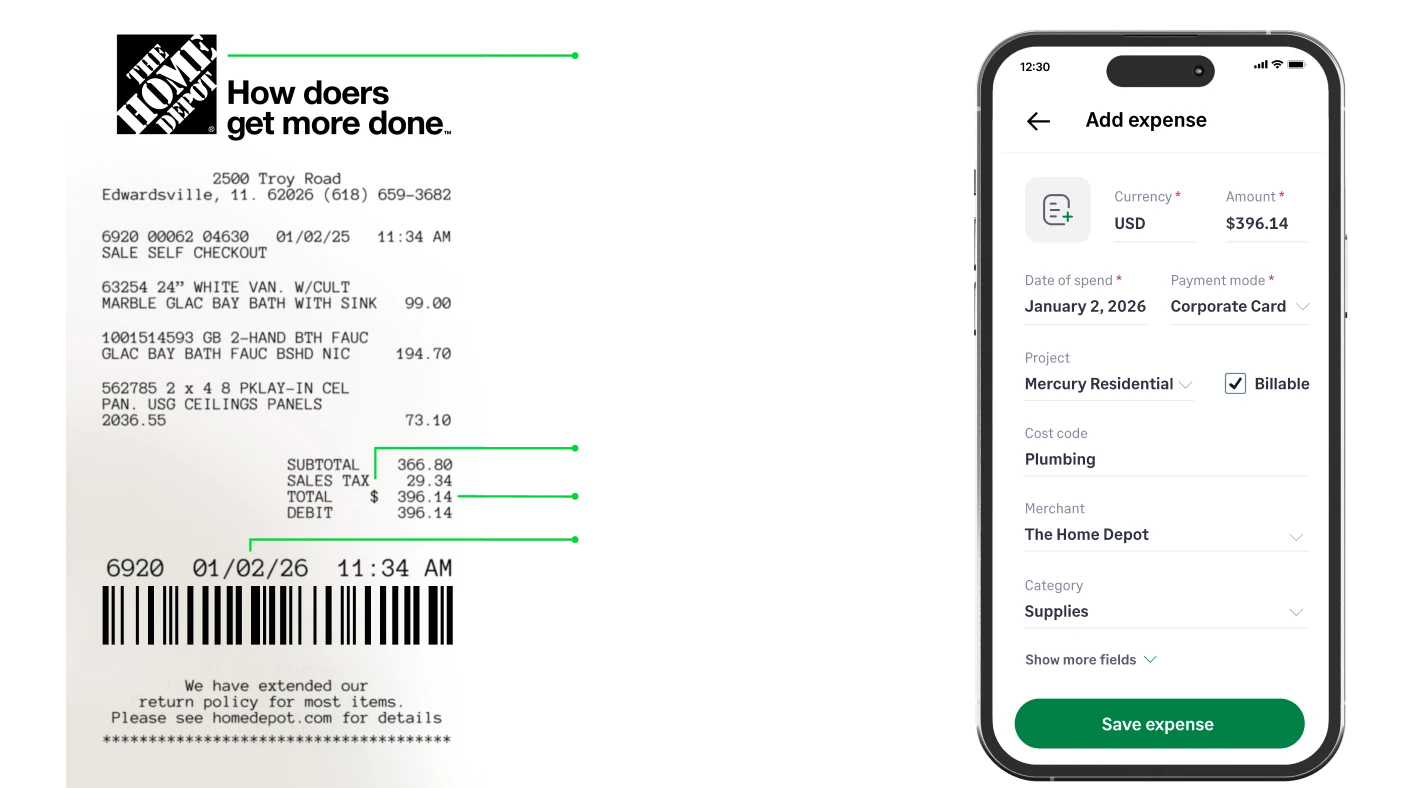
How Sage expense management uses OCR to scan receipts

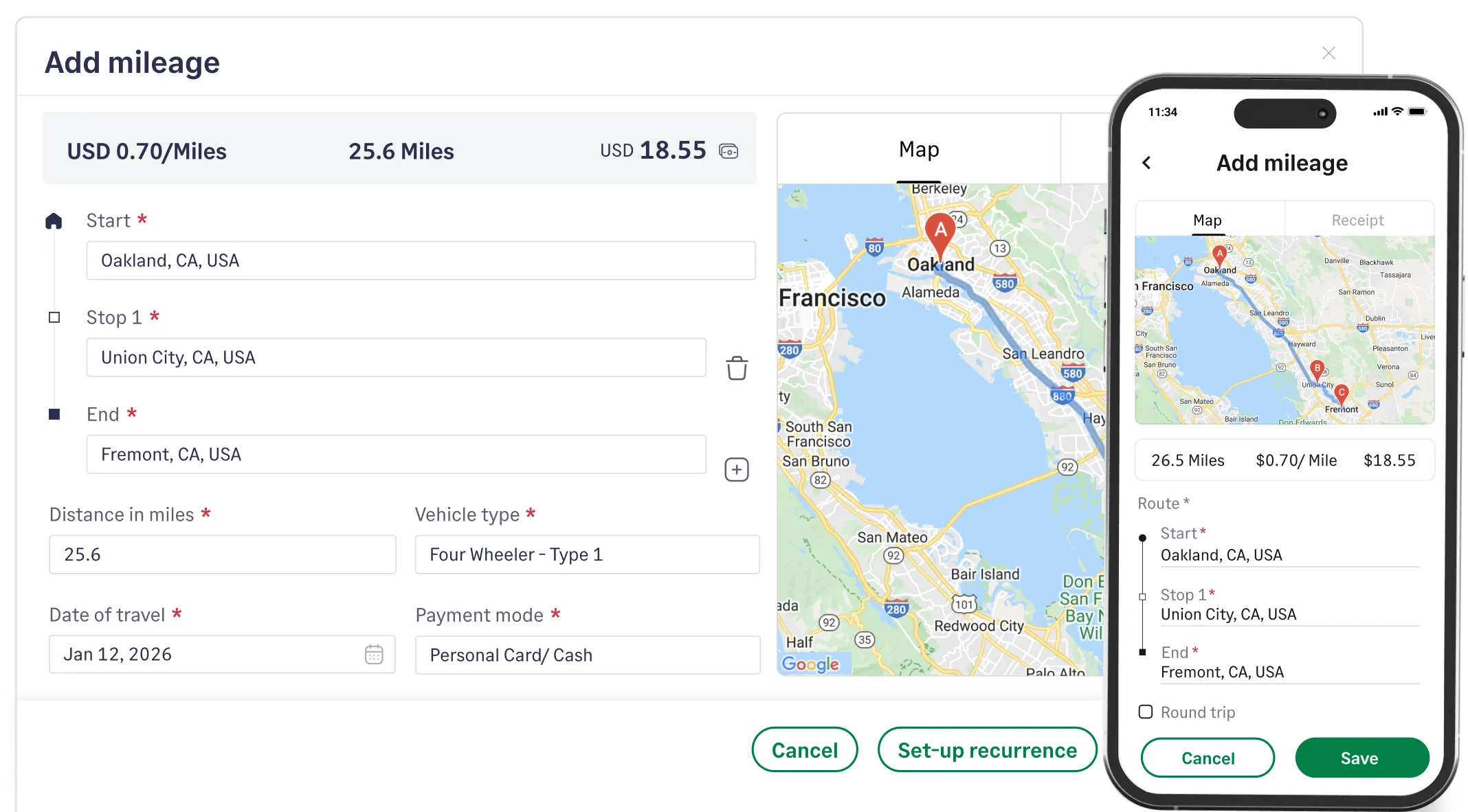
Easily track business travel expenses.

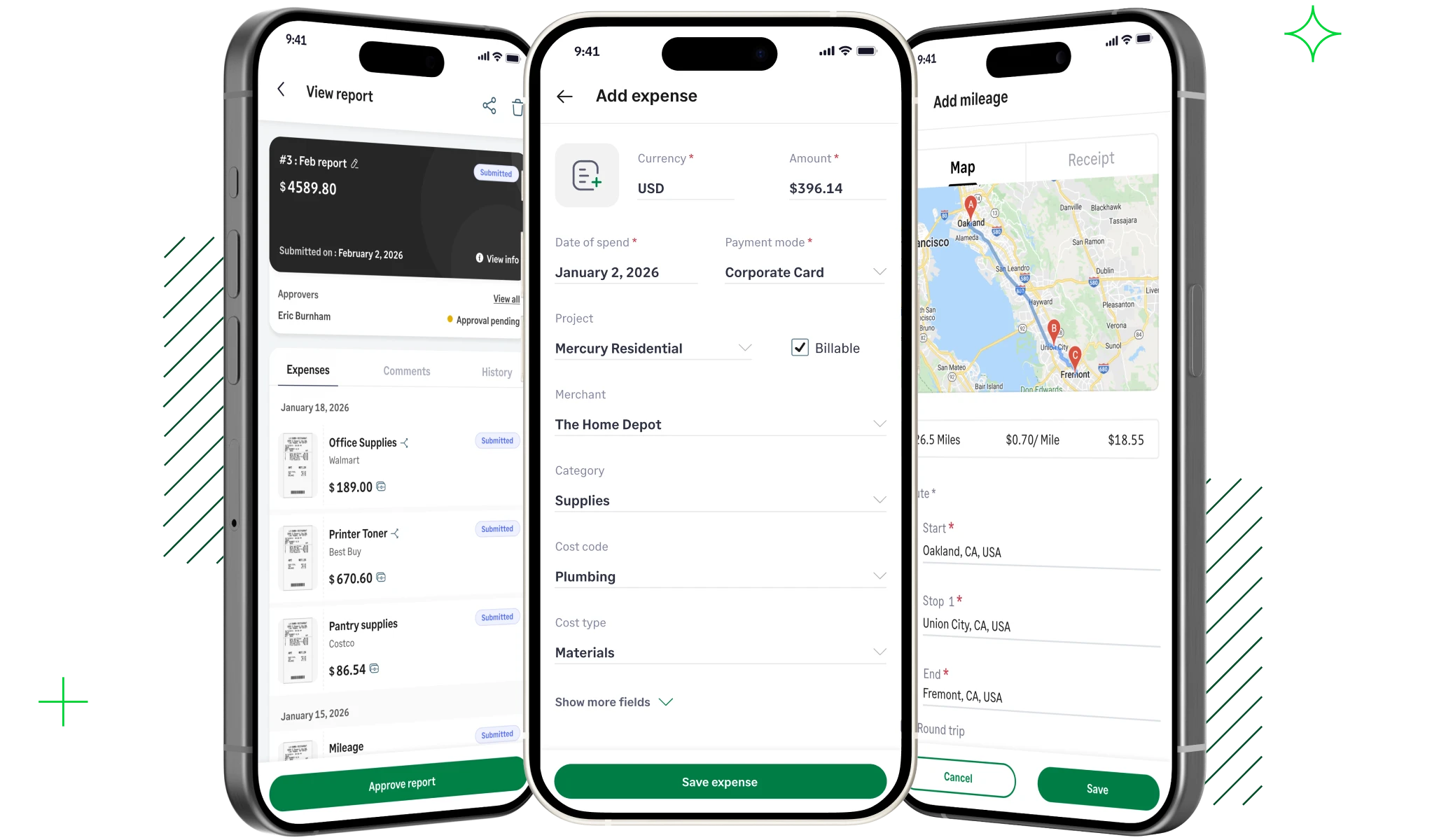
Mileage is calculated accurately using company or IRS rates, ensuring employees are reimbursed correctly. Automated per diem tracking helps standardize travel expenses and maintain compliance across teams.

Track business mileage and travel expenses with the Sage Expense Management mobile app

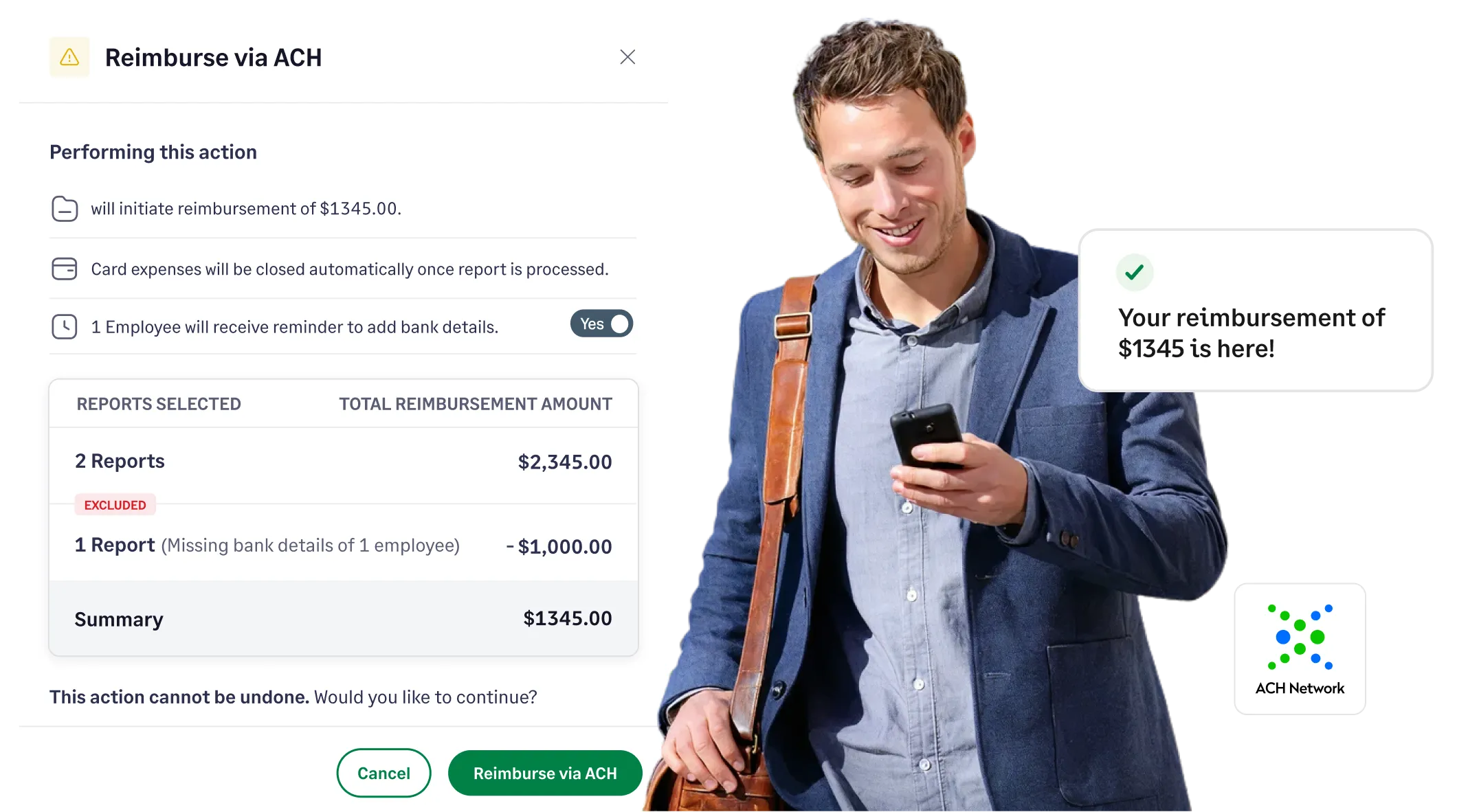
Track reimbursements with confidence.

Bank details are captured securely in the app, enabling fast ACH payouts after approval. Real-time payment status updates keep users informed every step of the way.

Stay on top of your reimbursements with the Sage Expense Management mobile app

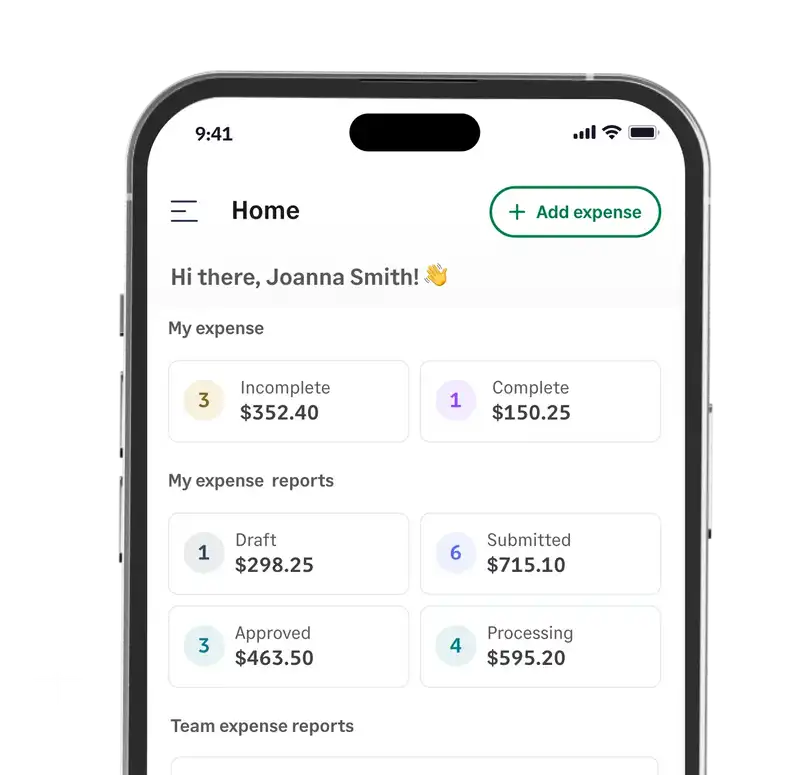
Stay in control with a single, intuitive dashboard.

Track incomplete expenses, submitted reports, and all linked cards in real time. Employees can instantly see which expense reports need attention and follow reimbursement progress.

Easy and intuitive dashboards in the Sage Expense Management app

Manage company spend anywhere, anytime

  • Report expenses as they happen
  • Track every mile effortlessly
  • Get reimbursed on time
  • Easy, intuitive dashboard

Got paper receipts? Let your employees snap a photo and submit expenses on the go.

Our OCR automatically extracts receipt details and completes expense forms. Even in offline mode, expenses can be captured at remote job sites and automatically synced once back online.
Easily track business travel expenses.

Mileage is calculated accurately using company or IRS rates, ensuring employees are reimbursed correctly. Automated per diem tracking helps standardize travel expenses and maintain compliance across teams.

Track reimbursements with confidence.

Bank details are captured securely in the app, enabling fast ACH payouts after approval. Real-time payment status updates keep users informed every step of the way.

Stay in control with a single, intuitive dashboard.

Track incomplete expenses, submitted reports, and all linked cards in real time. Employees can instantly see which expense reports need attention and follow reimbursement progress.

How Sage expense management uses OCR to scan receipts
Track business mileage and travel expenses with the Sage Expense Management mobile app
Stay on top of your reimbursements with the Sage Expense Management mobile app
Easy and intuitive dashboards in the Sage Expense Management app
heart of the rockies initiative logo

8x more expense report submissions

"Sage Expense Management has saved us time, and alleviated the headaches associated with losing physical receipts. The mobile app and ability to text a receipt photo are our staff's favorite features."

Emily Harkness

Emily Harkness, Community Engagement Manager

Empower your team with Sage Expense Management

Accurate tracking

Built-in compliance

Easy to adopt

Get a Demo
Automate expense tracking with Sage Expense management mobile app

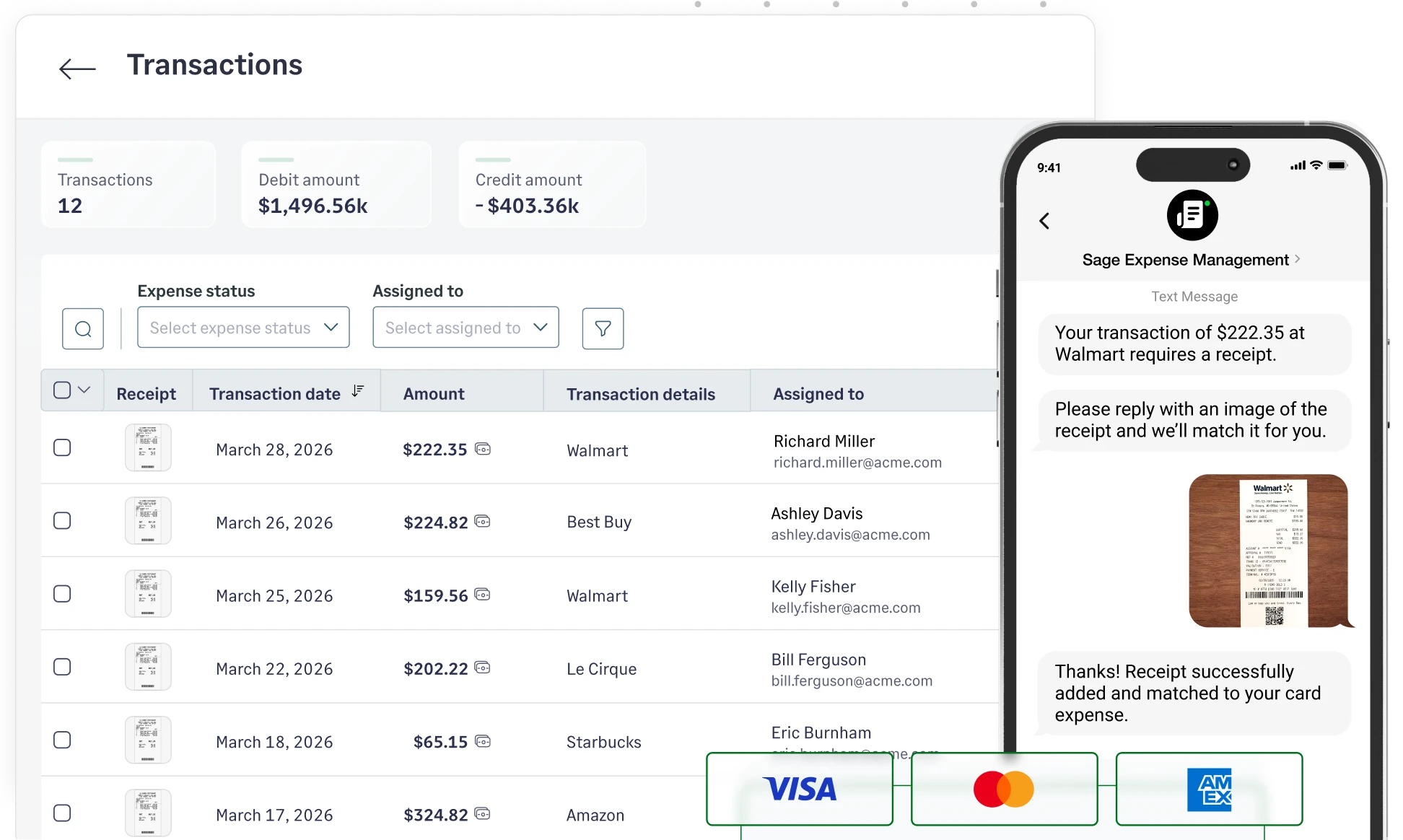
Real time card spend visibility

See employee card spend as it happens through our direct credit card integrations. Expense receipts submitted via our mobile app are automatically matched with the right credit card transaction.

Credit card expense management
Real time card spend visibility with Sage Expense Management app

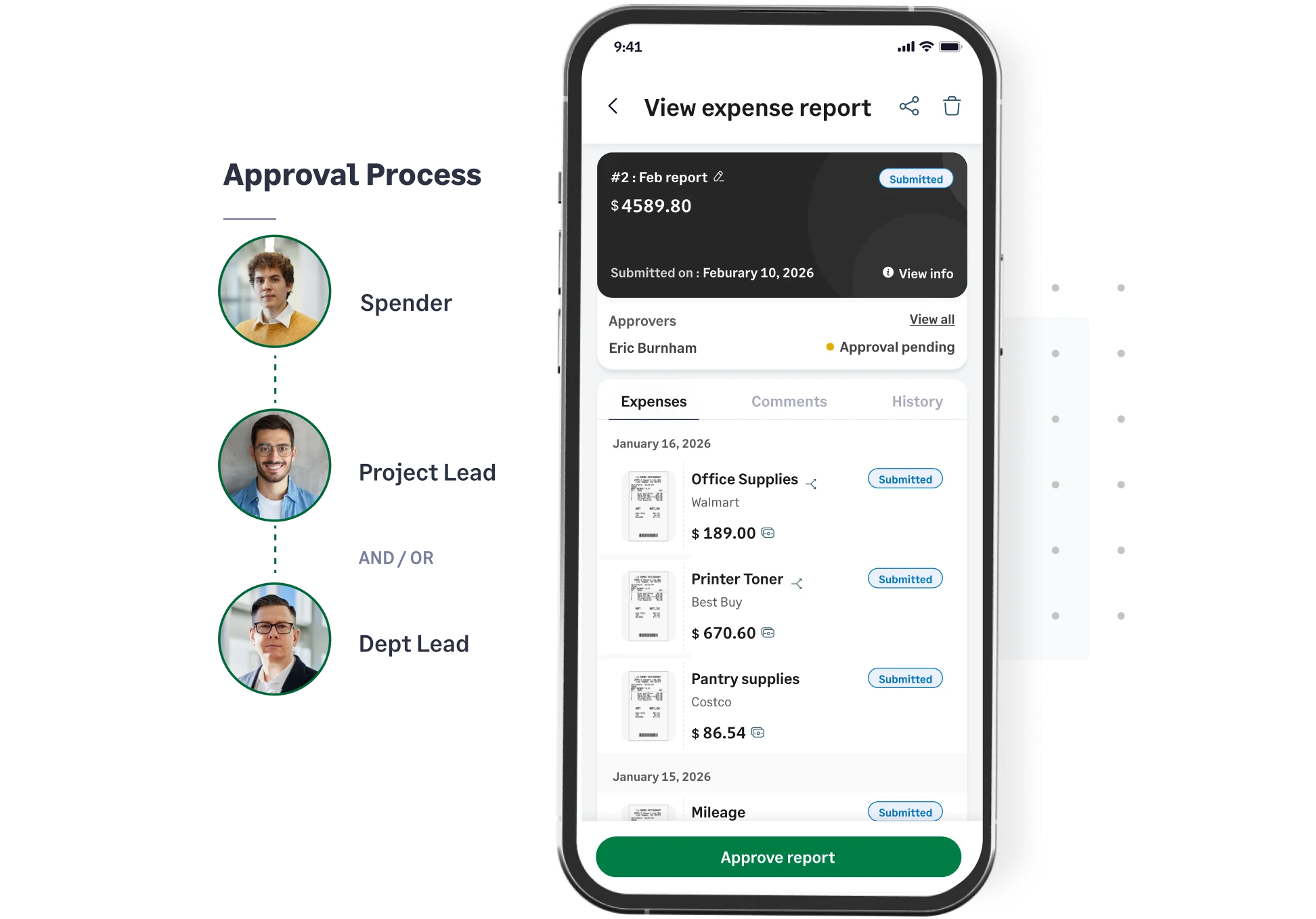
Approve and manage on the move

Approve, edit, or send back expense reports for clarification directly from your phone. Scheduled reminders ensure that submissions are on track before month-end close.

Learn more about approvals
Approve expense reports on the go with the Sage Expense Management mobile app

Built-in compliance without extra work

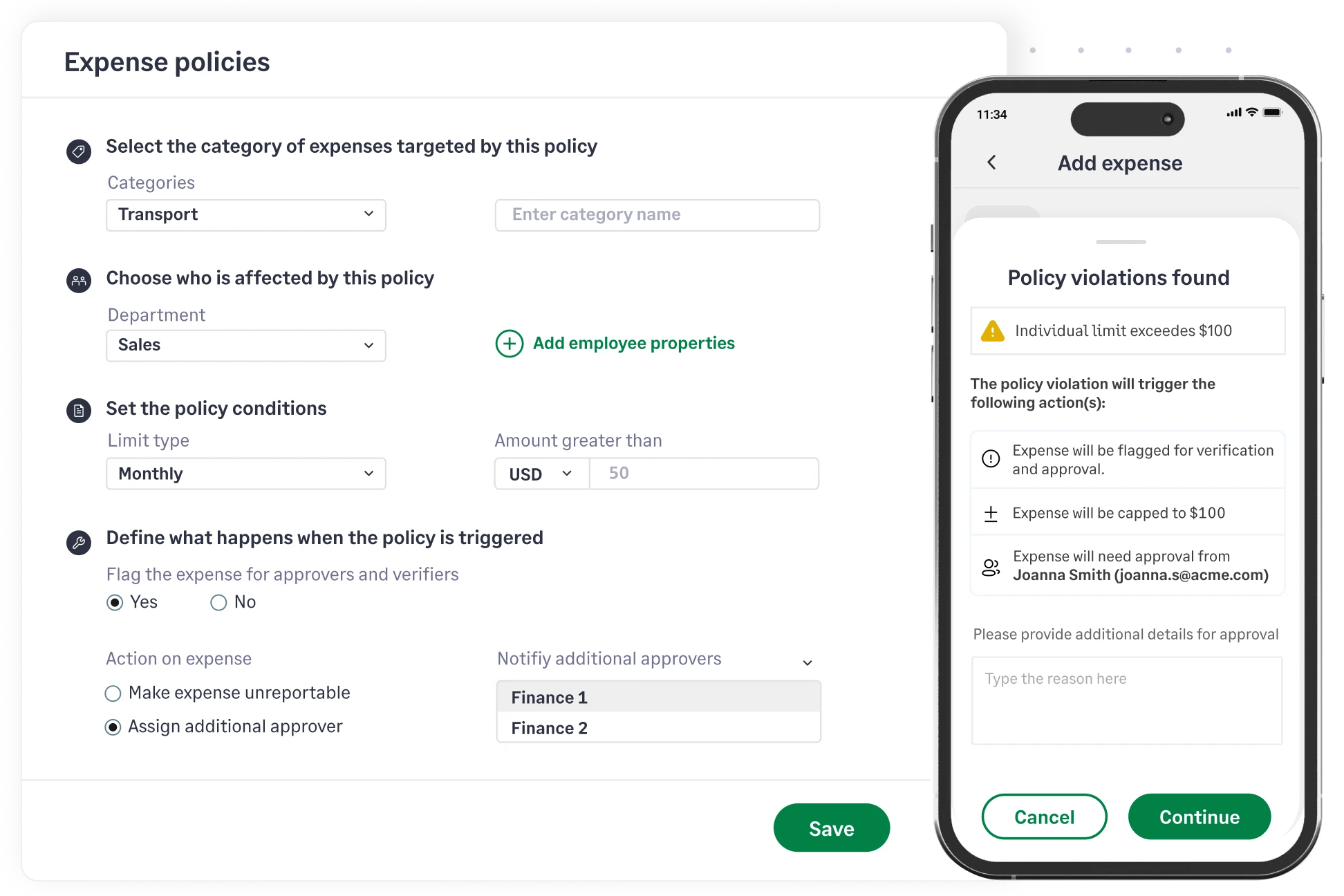
Ensure compliance without having to chase down employees. Expenses are checked against your policies in real time, with customizable rules for spending limits and receipt requirements.

Compliance reporting
Stay compliant always with Sage Expense Management app

Accounting integrations for seamless sync

Ensure a smooth close with expenses backed by a complete audit trail. We automatically sync expense data with your accounting software, keeping your records accurate and up to date.

Explore integrations
Seamless accounting integrations with Sage Expense Management

Frequently asked questions

Our goal is seconds, not minutes. By using SmartScan OCR for automatic data entry and auto-matching transactions, most expenses can be submitted in three quick taps (Snap, Verify, Submit).

Yes. Users can manage the full lifecycle via the dashboard, including coding expenses to specific projects or cost centers and submitting finalized reports for approval directly from the device.

Yes. The application is available for download on both the Apple App Store and Google Play Store.

Yes. You can snap a picture of receipts using the in-app camera. Our AI-powered OCR engine extracts merchant, date, and amount details automatically. For corporate card users, the app instantly matches the receipt with the corresponding bank feed transaction.

No. You must have an active Sage Expense Management account provided by your organization to log in and utilize the application.

The Sage Expense Management mobile app allows users to capture receipts using AI-powered scanning, track mileage via Google Maps, and submit expense reports for approval. Additionally, managers can review, approve, or send back reports on the go, with all data syncing automatically across devices.

Yes. The app is designed for on-the-go teams. You can snap receipts, track mileage, and create expense reports even when you are offline. The data will automatically sync once your connection is restored.

Unlike traditional apps that use active GPS to follow every move, we use a built-in Google Maps integration. Users can simply enter their start and end points, and we calculate the precise distance. You get an IRS-compliant map view without the battery drain.

No. Employees can manage their expenses via our mobile dashboard. They can also split expenses across projects, and track reimbursement status, entirely from your phone.

Yes. Sage Expense Management (formerly Fyle) is now part of the Sage offering and provides a deep, seamless integration with Sage Intacct. Your expense data, GL codes, and reports sync instantly for a smooth month-end close.

Get a Demo