Card-agnostic expense management software

Sage Expense Management (formerly Fyle) automates tracking, reporting, controlling, reimbursing, and closing - without forcing you to switch from your existing credit cards.

sage-expense-management-seo
Rating stars 4.6/5 1775+ reviews

Trusted by 2500+ Customers

  • Aprio logo
  • Centric logo
  • Disruptive logo
  • E3 Environmental logo
  • Encore logo
  • May Mobility logo
  • Keystone logo
  • Sprenger logo
  • Classic Collision logo
  • CCS Construction logo
  • Williams homes logo

1. Stop chasing employees for receipts

Track receipts via text messages
Submit right from Gmail and Outlook
Snap and upload using our mobile app
Email forwarding for e-receipts

From text to reconciled in < 2 minutes.

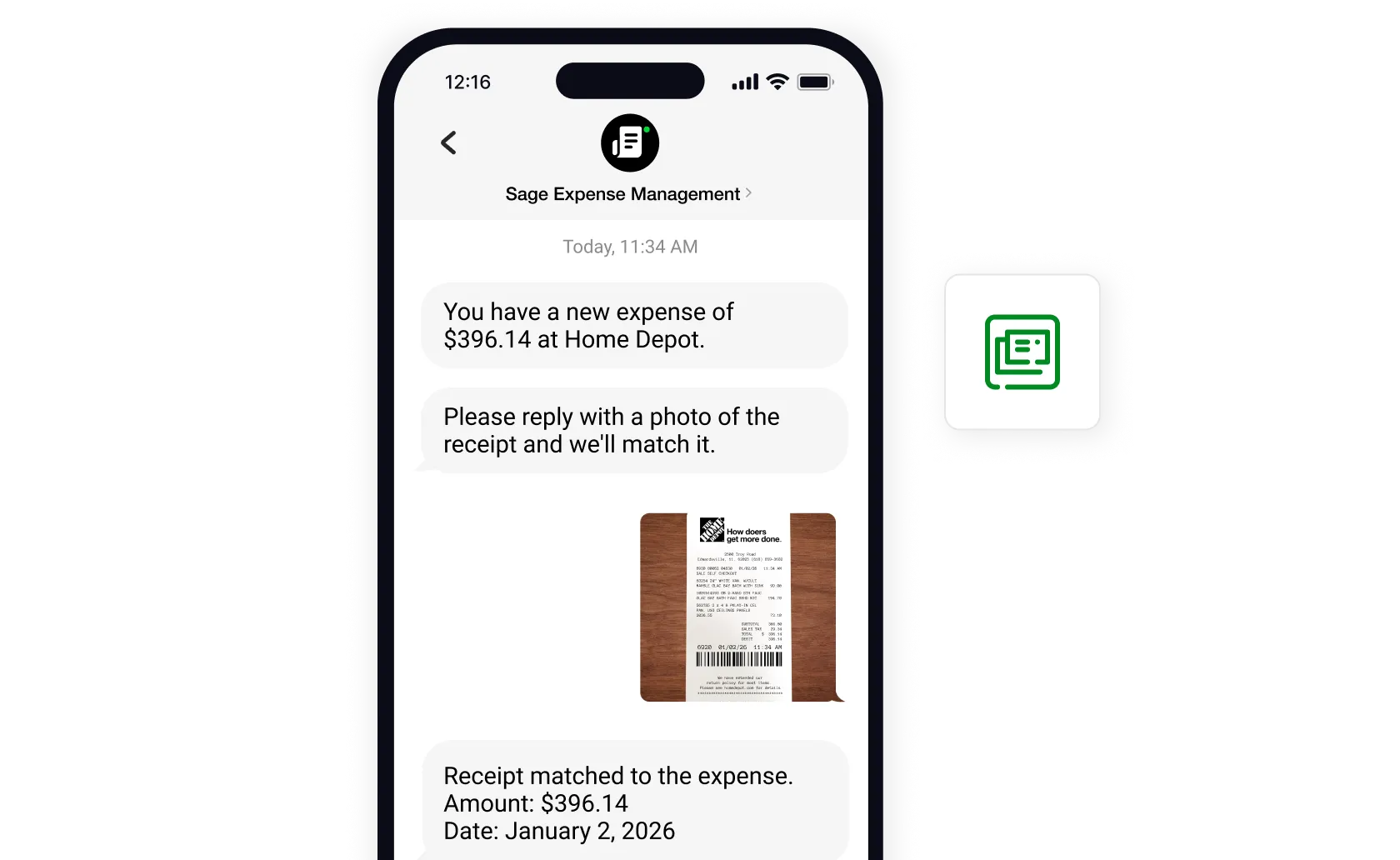
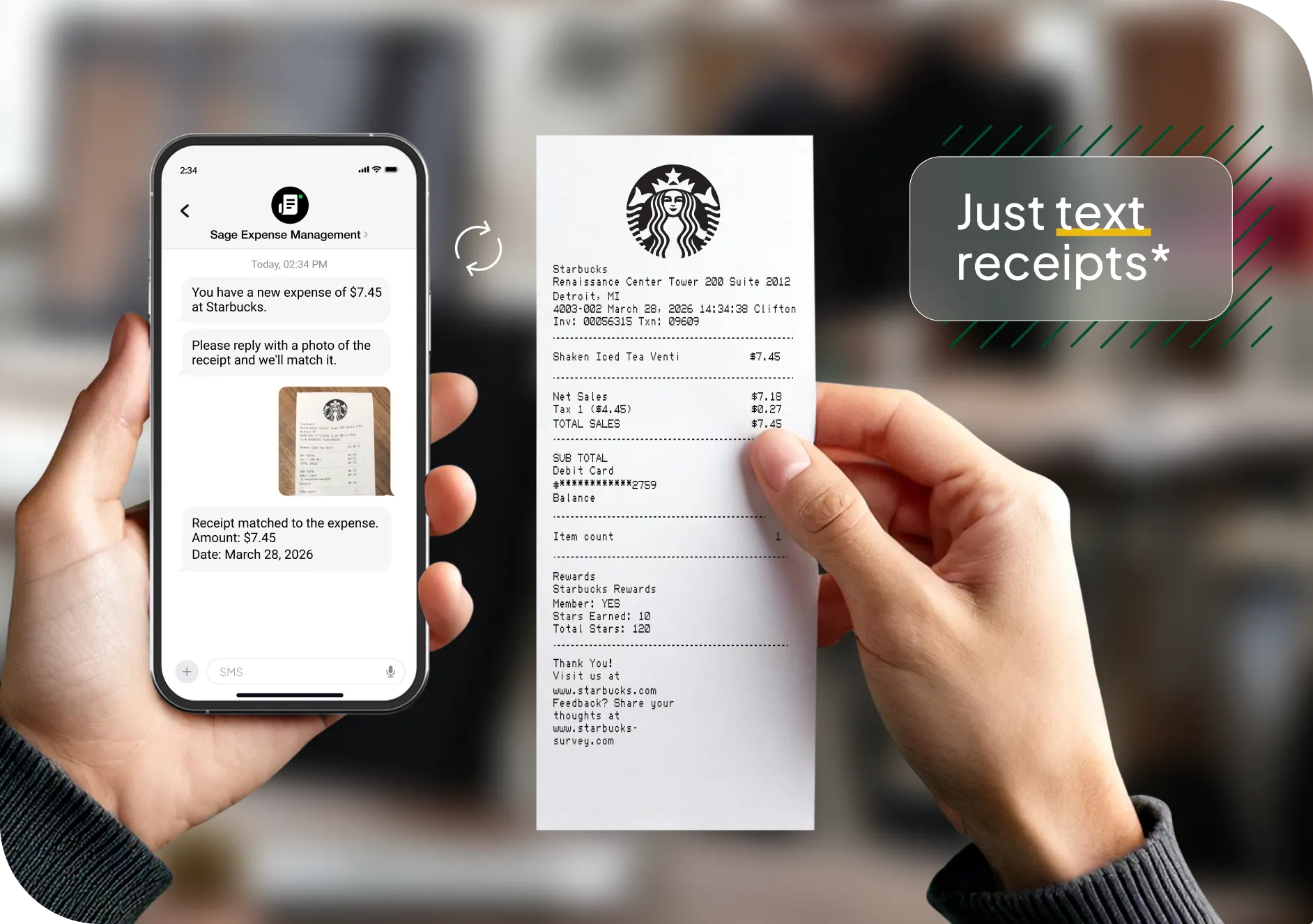
Text your receipts to Sage Expense Management and let us handle the rest. Your receipts are instantly auto-coded and matched to the right transactions with zero manual work required. No more chasing missing receipts or struggling with clunky apps.

Text-to-expense
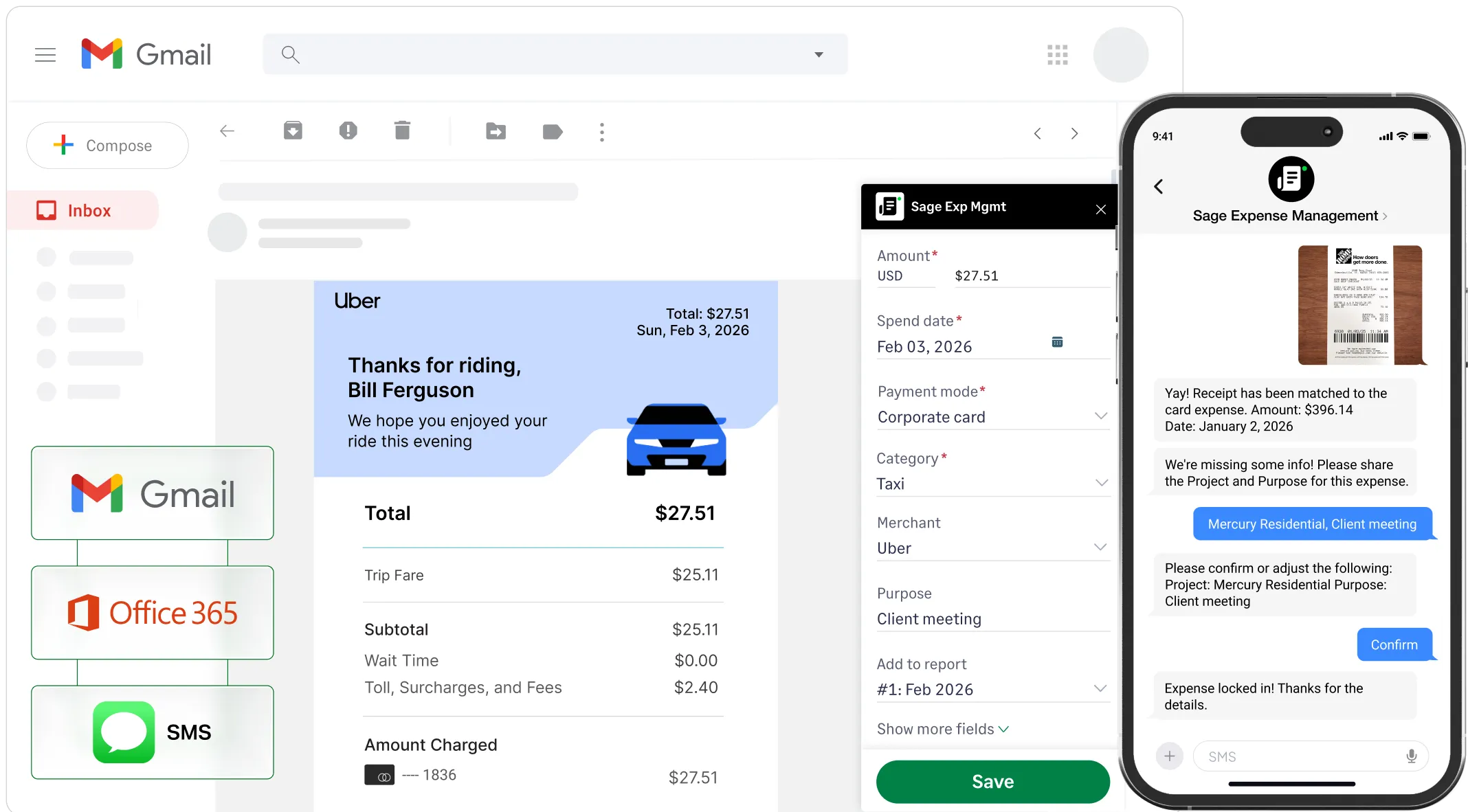
Sage Expense Management Conversational AI prompting a user to categorize a project and purpose via text message.

From inbox to expense in a single click.

Your employees can submit expenses without leaving their inbox, and Sage Expense Management automatically creates an expense with receipts attached. No switching between apps, no extra steps.

Track expenses
Sage Expense Management software email plugin automatically capturing data from an e-receipt.

The expense app that moves at your pace.

Capture receipts on-the-go, track business mileage and per diem, and submit expenses in real-time - all in one place.

The only app for all your expense management needs.

Sage Expense Management mobile app
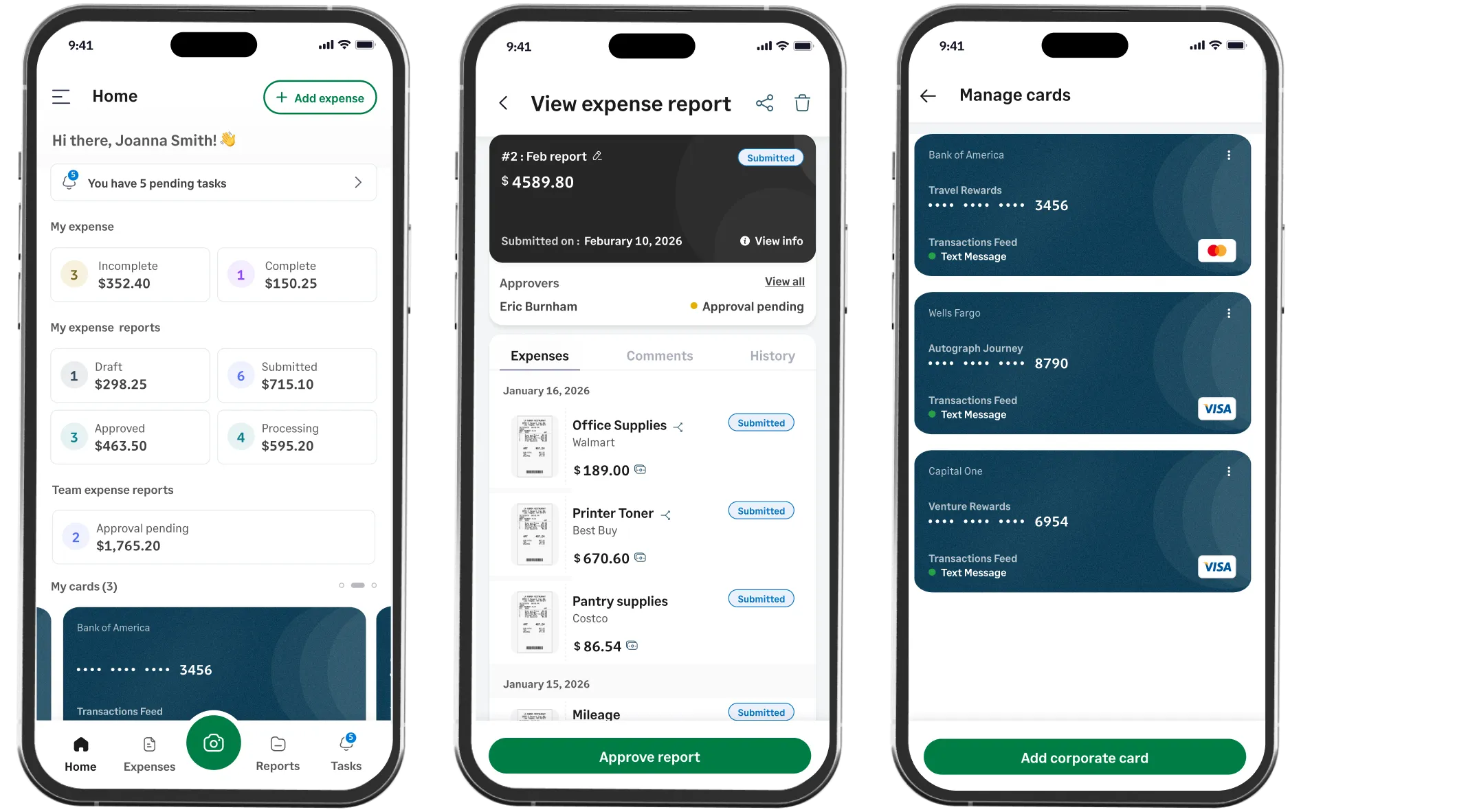
Sage Expense Management software mobile app showing expense reports, manual entry, and mileage tracking features.

Forward receipts. We'll handle the rest.

Forward e-receipts to receipts@fylehq.com from your business or personal email and we'll automatically extract the details and create an expense. No manual entry needed.

Set up auto-forwards for specific merchants and let SEM do the reporting.

Receipt tracking
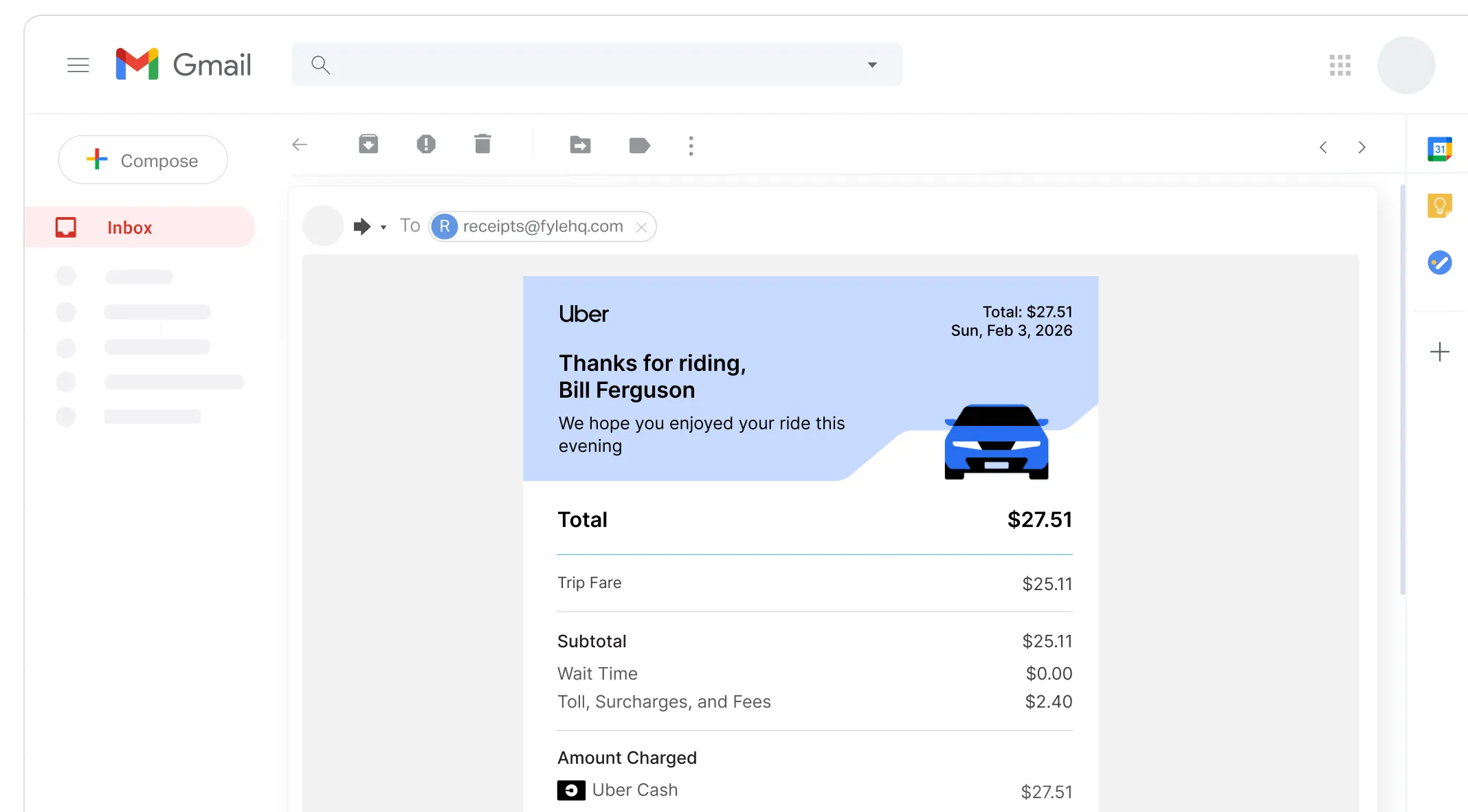
Forwarding an e-receipt to Sage Expense Management software via email for automated processing.

1. Stop chasing employees for receipts

Track receipts via text messages
Submit right from Gmail and Outlook
Snap and upload using our mobile app
Email forwarding for e-receipts

From text to reconciled in < 2 minutes.

Text your receipts to Sage Expense Management and let us handle the rest. Your receipts are instantly auto-coded and matched to the right transactions with zero manual work required. No more chasing missing receipts or struggling with clunky apps.

Text-to-expense

From inbox to expense in a single click.

Your employees can submit expenses without leaving their inbox, and Sage Expense Management automatically creates an expense with receipts attached. No switching between apps, no extra steps.

Track expenses

The expense app that moves at your pace.

Capture receipts on-the-go, track business mileage and per diem, and submit expenses in real-time - all in one place.

The only app for all your expense management needs.

Sage Expense Management mobile app

Forward receipts. We'll handle the rest.

Forward e-receipts to receipts@fylehq.com from your business or personal email and we'll automatically extract the details and create an expense. No manual entry needed.

Set up auto-forwards for specific merchants and let SEM do the reporting.

Receipt tracking
Sage Expense Management Conversational AI prompting a user to categorize a project and purpose via text message.
Sage Expense Management software email plugin automatically capturing data from an e-receipt.
Sage Expense Management software mobile app showing expense reports, manual entry, and mileage tracking features.
Forwarding an e-receipt to Sage Expense Management software via email for automated processing.

2.Reconcile credit card expenses in under 2 minutes

Don’t wait for delayed bank feeds. See card spend the moment your employees swipe their card.

Keep your existing cards

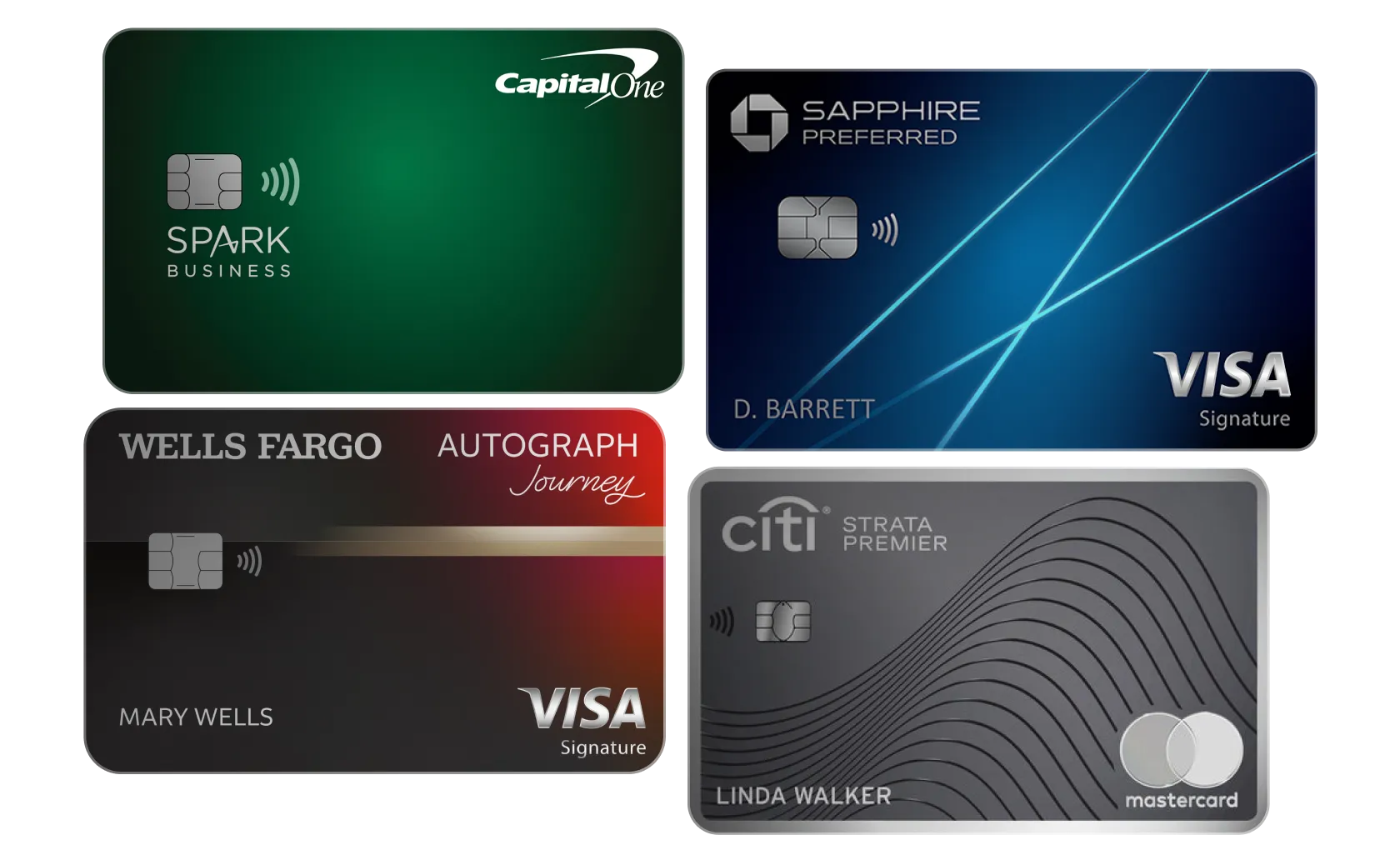
Connect your cards in minutes, and see spend data start flowing in instantly. Get visibility and control over card programs and cash flow, all while you keep the bank rewards programs you love.

Various business credit cards that integrate with Sage Expense Management software.

Real time visibility into card spend

Whenever employees swipe their business credit cards, they get an instant text notification, and the transactions appear on your dashboard within seconds via real-time feeds.*

*Real-time feeds only for Visa and Mastercard

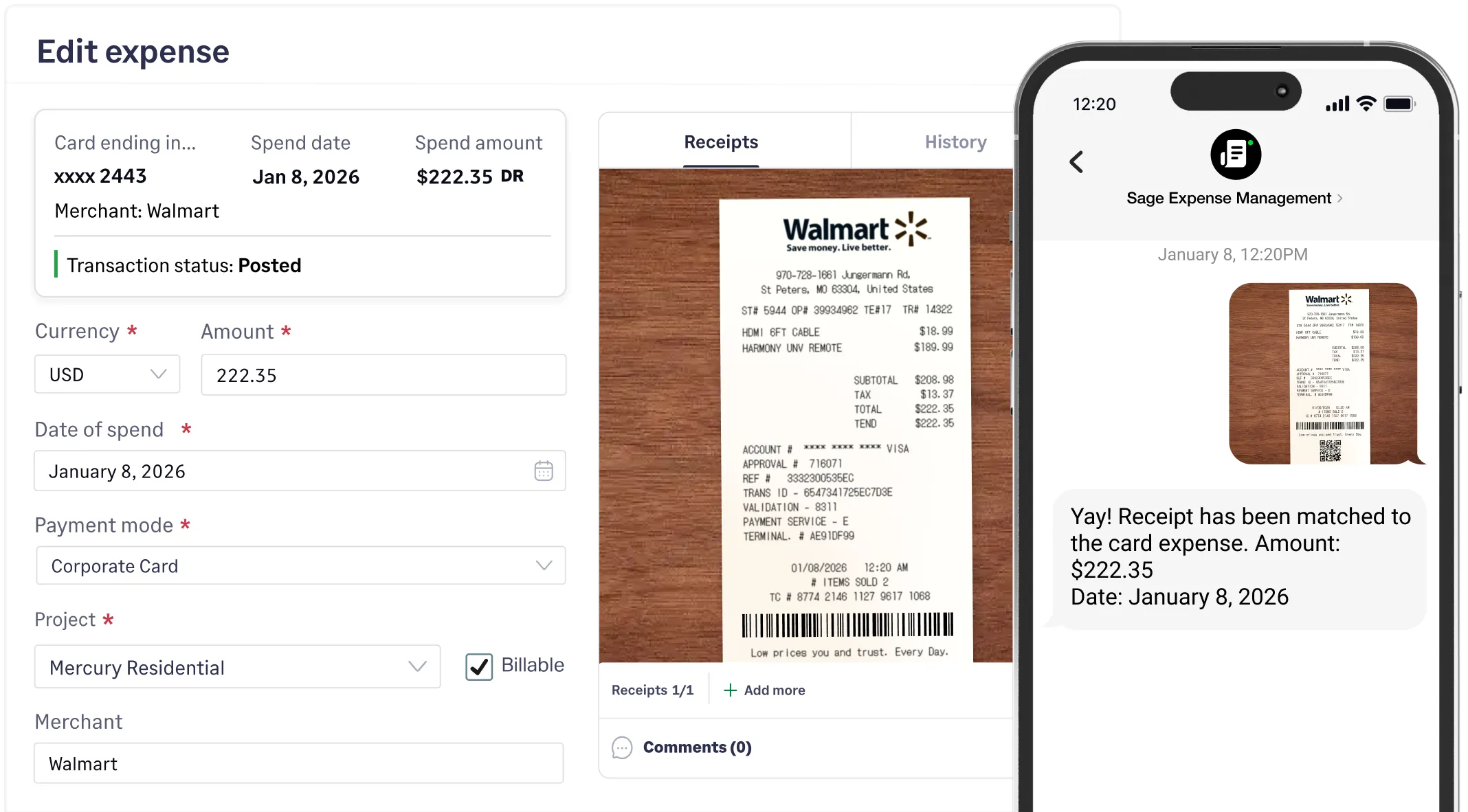
Sage Expense Management software confirming a successful receipt match for a card purchase via text.

Auto-code and reconcile card spend

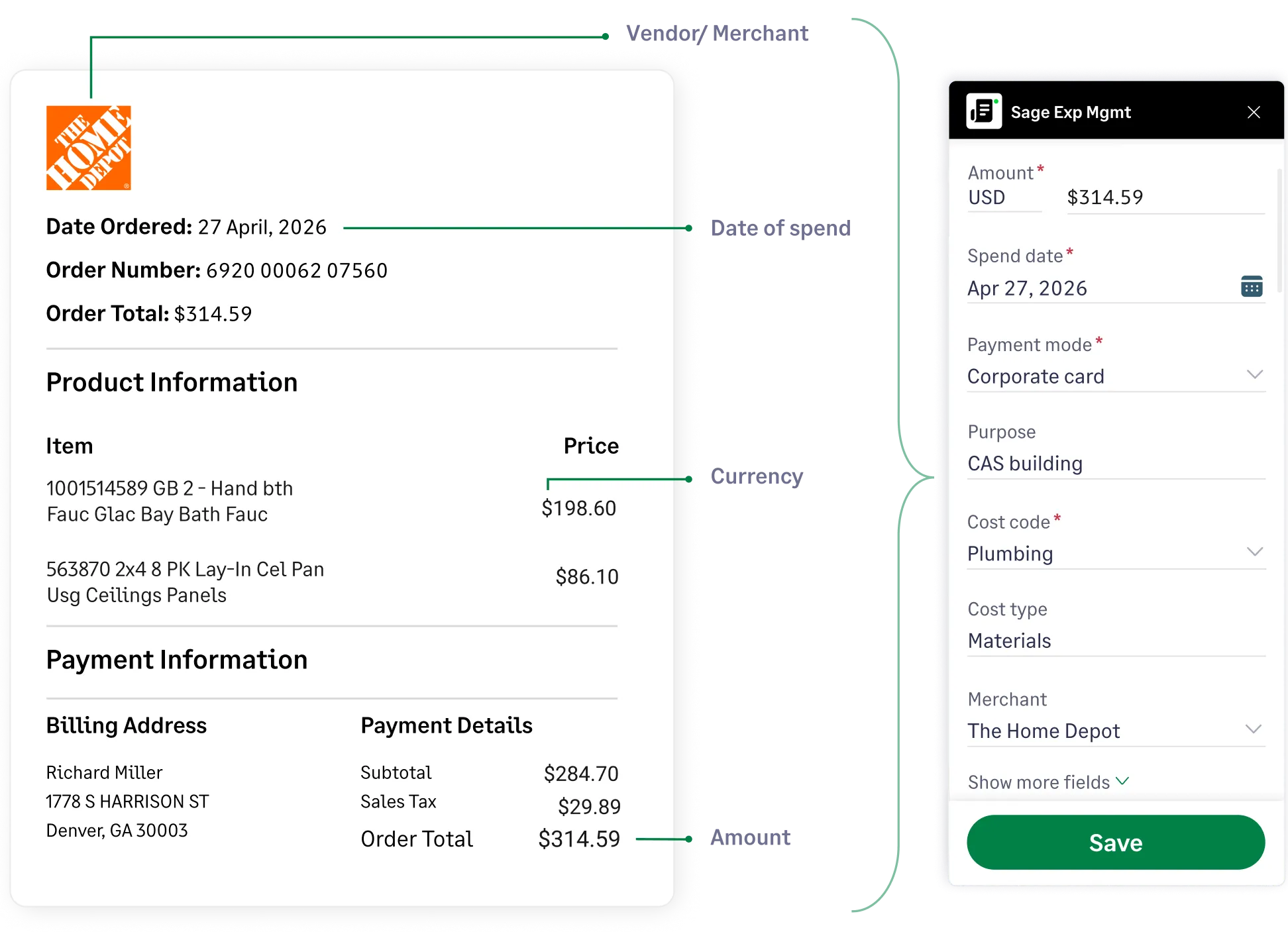
Sage Expense Management streamlines expense tracking by leveraging AI to extract receipt data. Intelligently categorize spending by merchant type, and automatically match receipts to transactions - saving you time and manual effort.

Sage Expense Management auto-extracting details from a digital invoice.

3. Streamline expense reporting and compliance

Don't make your employees run around for their reimbursements.

Reimburse employees on time

Process employee reimbursements faster with Express ACH - expenses up to $1,000 reaching employees in 1–2 business days. Process multiple payments with a single click and track status in real-time.

Explore reimbursements
Sage Expense Management software dashboard for employee reimbursement via ACH network

Approve on-the-go

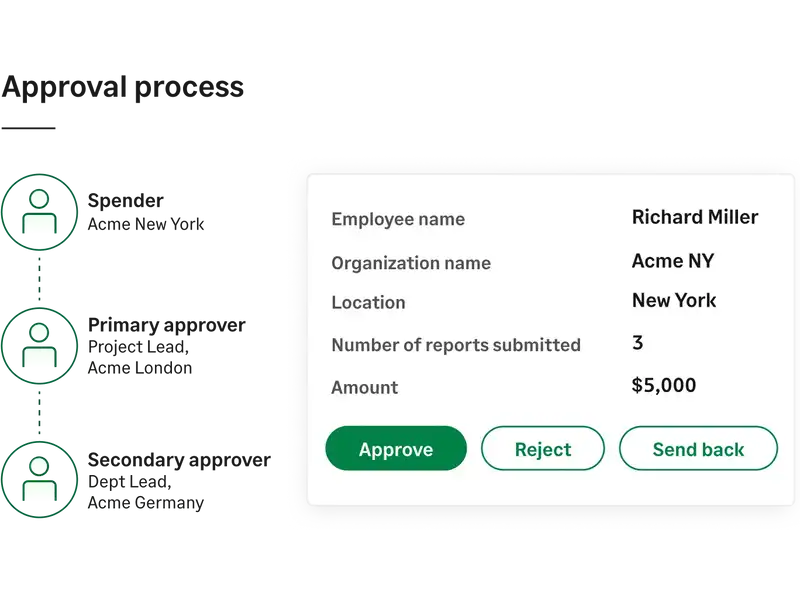
Streamline approvals with custom workflows. Managers can review and approve expenses on the go, speeding up reimbursements and keeping spend under control.

Learn more about approvals
Visual representation of the Sage Expense Management software approval process from spender to department lead.

Stay on top of your budgets

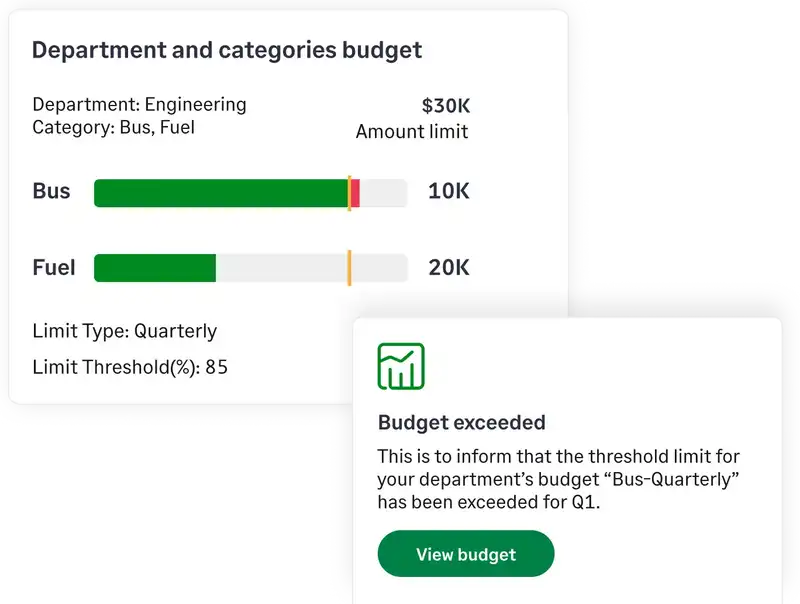
Define budgets for projects, categories, departments, or cost centers individually or combined. Receive alerts as you approach spend limits, and monitor real-time utilization from your dashboard - no manual tracking required.

Explore budgets
Real-time budget tracking dashboard with an automated alerts

Proactive control and compliance

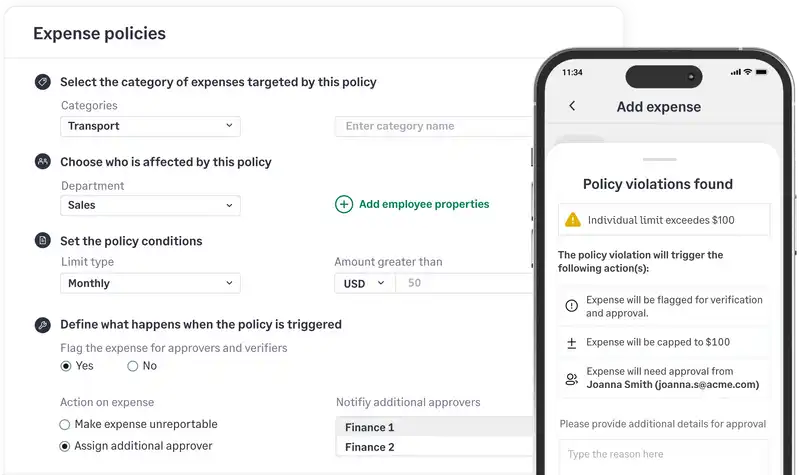
Smart business rules enforce your spending standards instantly. Flag overages, duplicates, and policy violations before they reach your inbox, so you only review compliant expenses.

Explore compliance features
Sage Expense Management policy engine flagging a violation for exceeding a individual spend limit.

4. Close on time, everytime

Direct accounting integrations, AI Copilot, and live dashboards for faster, smarter closes.

Expenses that sync themselves

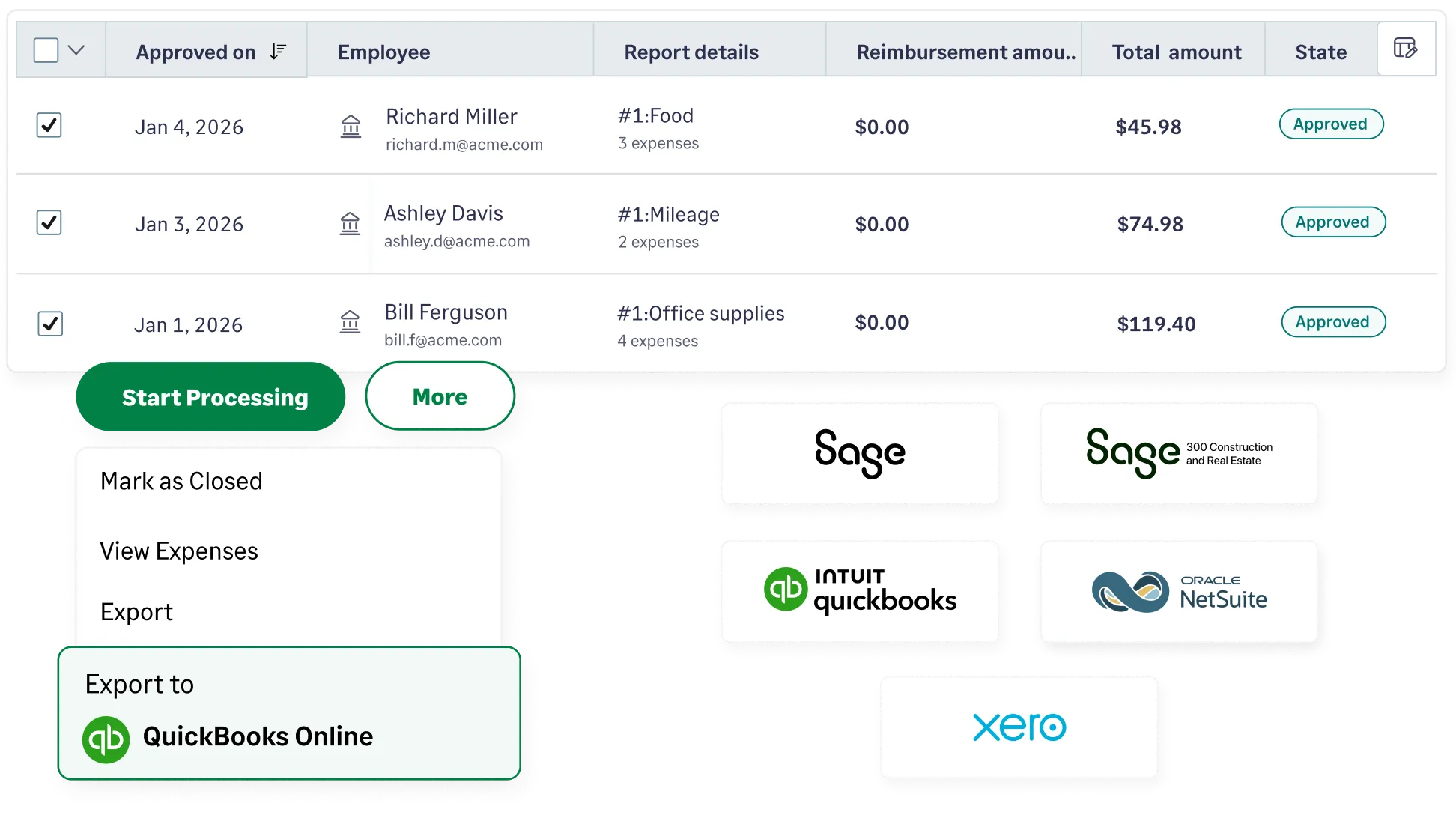
Sage Expense Management syncs expenses directly to Sage, QuickBooks, NetSuite, and Xero, eliminating bottlenecks and keeping your financial data always up-to-date.

Two-way integrations. Real-time data flow. Zero manual entry.

Explore accounting integrations
Logos of QuickBooks, NetSuite, Xero, and Sage Business Cloud that integrate with Sage Expense Management

Expense intelligence with Copilot AI

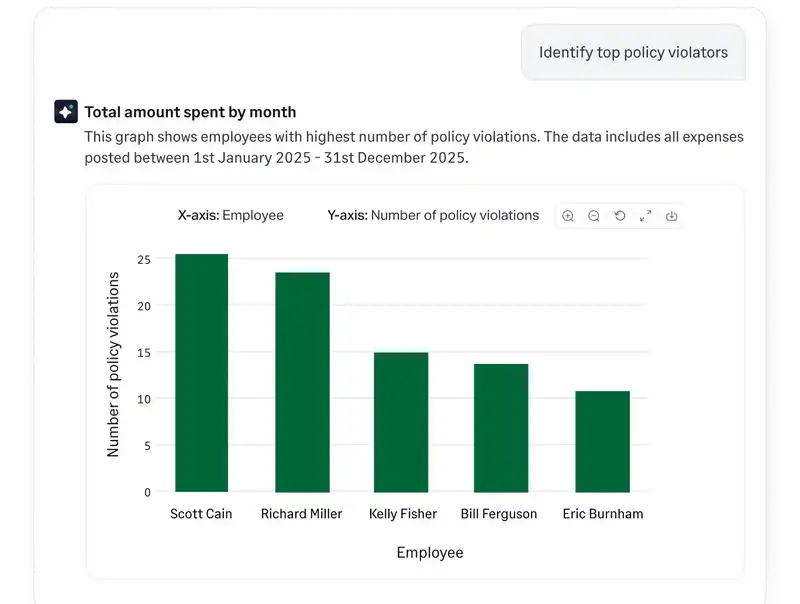
Our Copilot AI turns raw expense data into actionable intelligence. Get instant visibility into spend patterns, budget performance, and policy compliance - without digging through reports.

Copilot AI
Sage Expense Management AI answering natural language questions via AI Copilot.

Strategic oversight on company spend

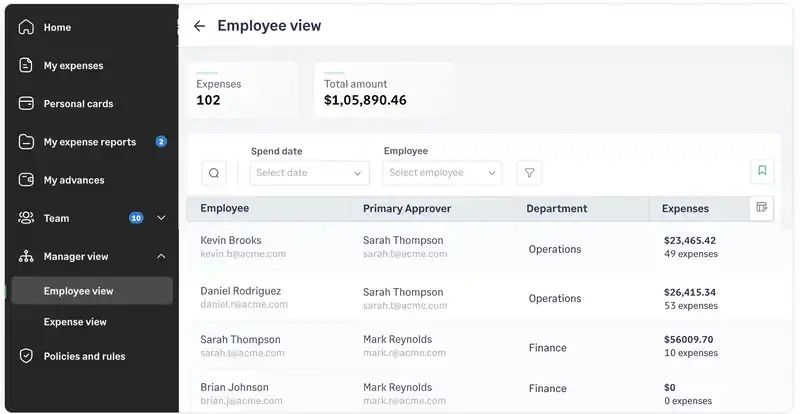
The Manager Dashboard* gives executives a bird's-eye view of spend patterns across the entire organization. Get the high-level clarity you need to stay in control without getting bogged down delayed data.

*Available for business plan customers

Manager view dashboard in Sage Expense Management showing total spending and employee expense reports.

Who is Sage Expense Management for?

Step 1

Track receipts

Snap photos or sync receipts instantly via text, email, or mobile app.

Step 2

Submit expense reports

Create policy-compliant reports in seconds to ensure zero flags.

Step 3

Get paid faster

Receive reimbursements directly to your bank account via ACH. (US only)

Step 1

Automate the reports

Stop chasing staff; let automated expense reports flow to your dashboard.

Step 2

One-click approvals

Review, approve, or reject submissions instantly with all data in one view.

Step 3

Quicker reimbursements

Schedule and execute timely reimbursements to keep your team happy.

Step 1

Total spend visibility

Gain real-time oversight and control over company-wide spend as it happens.

Step 2

Complete compliance

Automatically enforce expense policies at the point of purchase.

Step 3

Accounting sync

Push reconciled data to your accounting software like NetSuite, QuickBooks, Sage, or Xero for a faster month-end.

How professionals use Sage Expense Management

Frequently asked questions around expense management

It is a platform that digitizes the entire process of reporting and reimbursing business spend. Instead of collecting physical receipts and manually entering data into spreadsheets, the software captures transaction details automatically and syncs them directly with your accounting software.

Effective management ensures that every dollar spent by an employee is accounted for and compliant with company policy. It provides the financial visibility needed to manage cash flow accurately and ensures your business is prepared for tax season or internal audits without a last-minute scramble for documentation.

The primary reason is the high cost of manual administration. According to a study, on average, it costs a company $58 and 20 minutes to process a single manual expense report. Because 20% of these reports contain errors, fixing them adds another $52 in labor per report.

  • For a 10-person team: You are likely losing over $1,000 and 6 hours of productivity every month.
  • For a 100-person team: That loss exceeds $10,000 and 60 hours monthly.

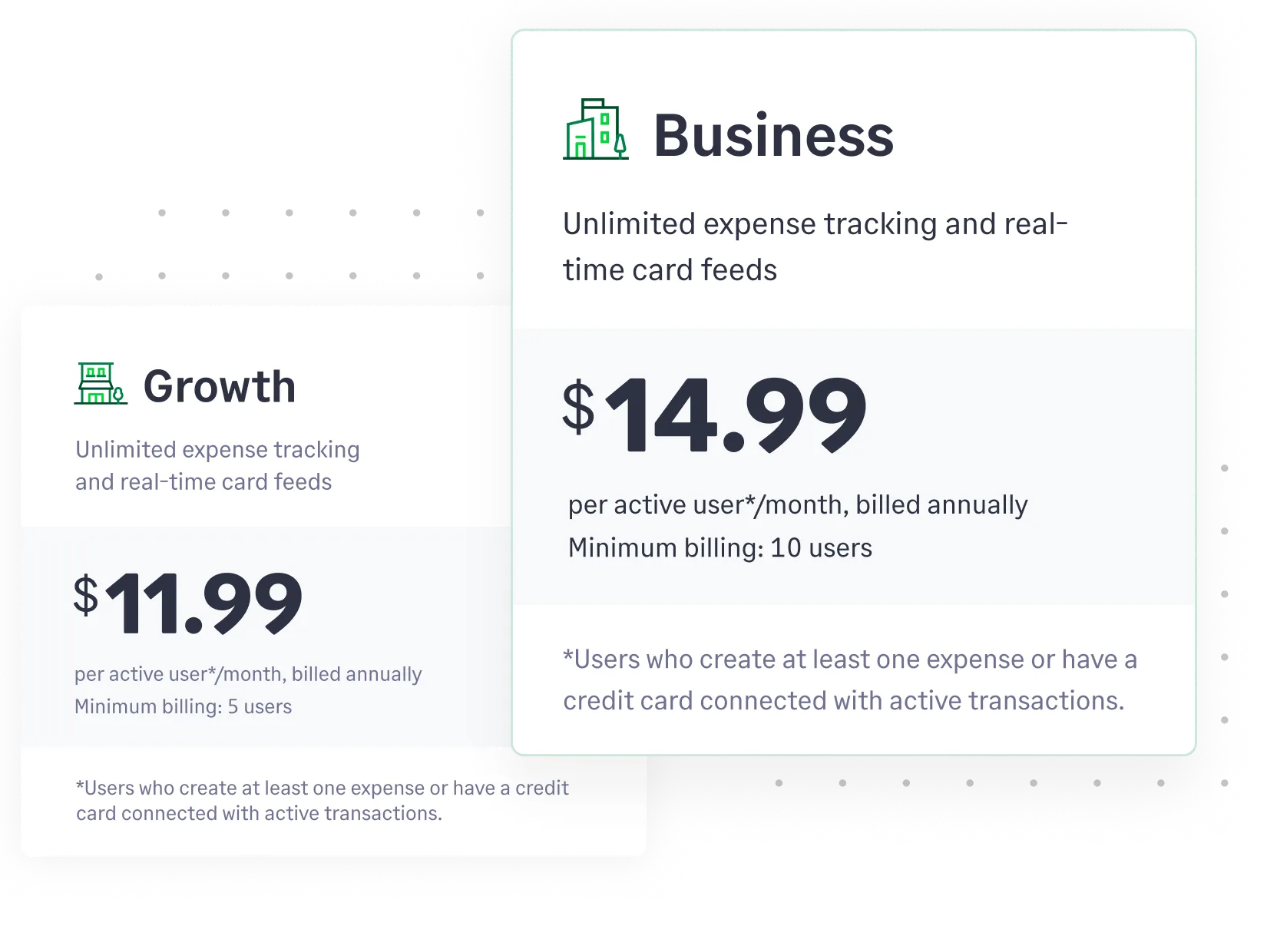
Using an expense software like Sage Expense Management automates these workflows for $11.99 per user, replacing high administrative costs with a fixed, predictable investment.
Automation removes the friction from financial reporting. You get real-time data on company spend as it happens, rather than waiting for reports to be submitted at the end of the month. This leads to faster reimbursements for employees and more accurate budget forecasting for the finance team.

  • Ease of capture: Can employees submit receipts in seconds from the field?
  • Direct integration: Does it sync automatically with your current accounting software?
  • Reliable data extraction: Does it accurately read receipts to eliminate manual typing?
  • Card agnostic: Does it work with your existing bank and credit cards, or does it force you to switch to their proprietary cards?

We offer multiple ways to submit expenses so your team never loses a receipt. You can submit via:

  • Conversational AI: Just text a photo of the receipt to Sage Expense Management.

  • Email plugins: One-click submission via Gmail and Outlook integrations.
  • Mobile & web apps: Full access to upload and manage expenses from any device.

The system automatically extracts the vendor, date, and amount, then matches that data to the bank transaction to keep your records updated in real time.

Yes. Sage Expense Management is designed to bridge the gap between employee spend and your general ledger. We integrate with major accounting software - including QuickBooks, Xero, Sage, and NetSuite - to ensure data flows automatically. This eliminates double-entry and significantly shortens your month-end close.

Yes. This is one of our primary differentiators. Many platforms require you to apply for their specific corporate cards to get real-time tracking. Sage Expense Management is card-agnostic - you keep your current bank and existing business credit cards, and we integrate with them directly for a unified view of your spending.

Most platforms require you to change how you bank. We don't. We work with your existing cards and financial institutions. This allows you to keep your current workflows and continue collecting your preferred card rewards and points. We provide the best expense software experience without forcing you to overhaul your entire finance setup.

We might be a little biased, but we genuinely believe Sage Expense Management is the best expense management software out there. Here's why:

  1. You don't need to change your existing cards. Sage Expense Management works with the cards you already use, so you can enjoy real-time expense tracking without any hassle.
  2. It's built for finance teams, by finance teams. We understand the pain points of manual expense management, and we've designed Sage Expense Management to address them head-on.
  3. AI-powered automation is at the core of Sage Expense Management. This means less manual work, fewer errors, and faster processing for you.

  4. We're obsessed with user experience. Sage Expense Management is designed to be intuitive and easy to use, so your team can actually enjoy managing expenses.
  5. We have bi-directional and seamless integrations with your accounting software.
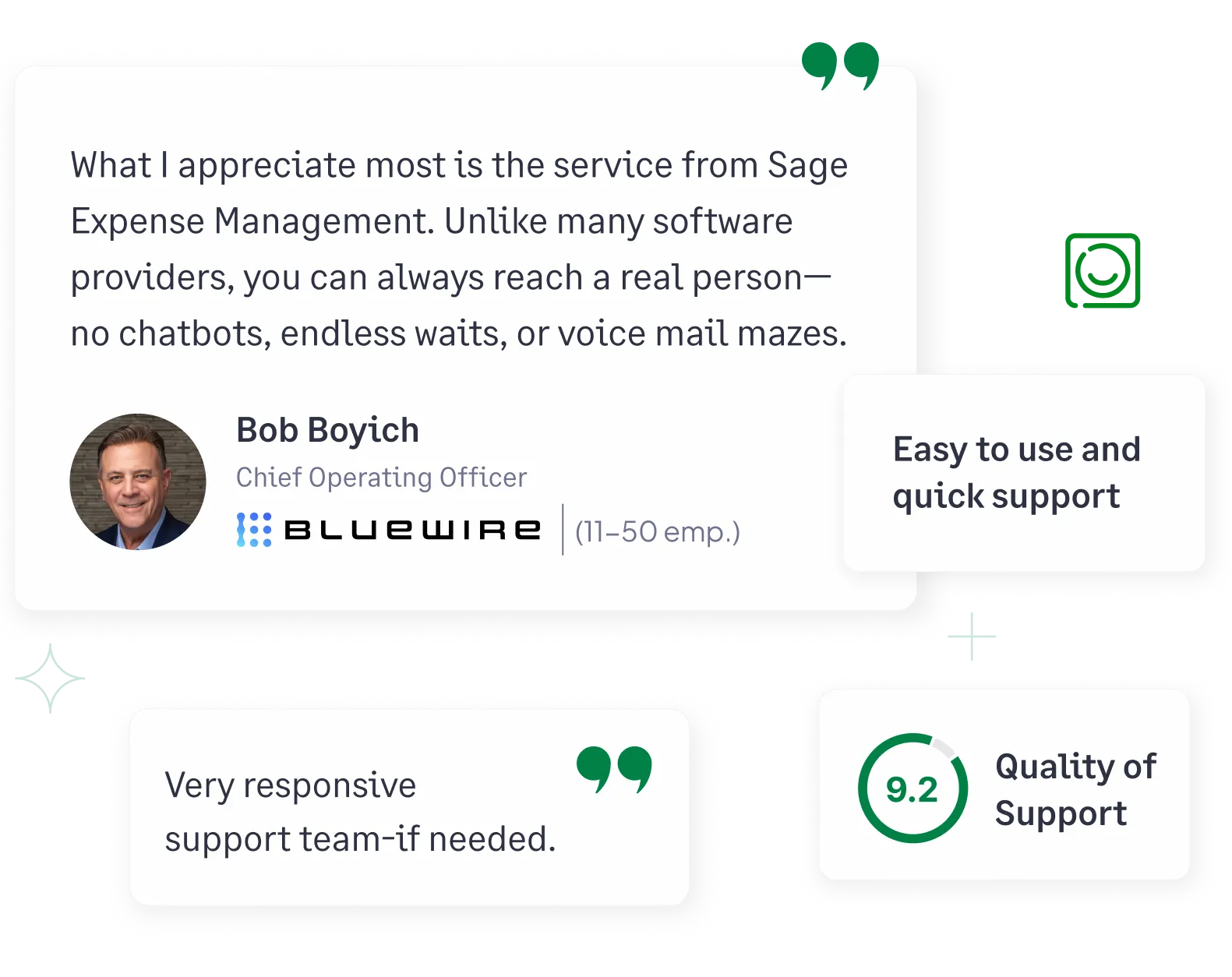
  6. We're committed to providing exceptional support. Our customer success first response time is under 30 minutes.
*Sage acquired Fyle on July 28, 2025 and rebranded to Sage Expense Management. All features and user workflows remain consistent with the original Fyle product experience.


An employee expense management software that works with your cards.

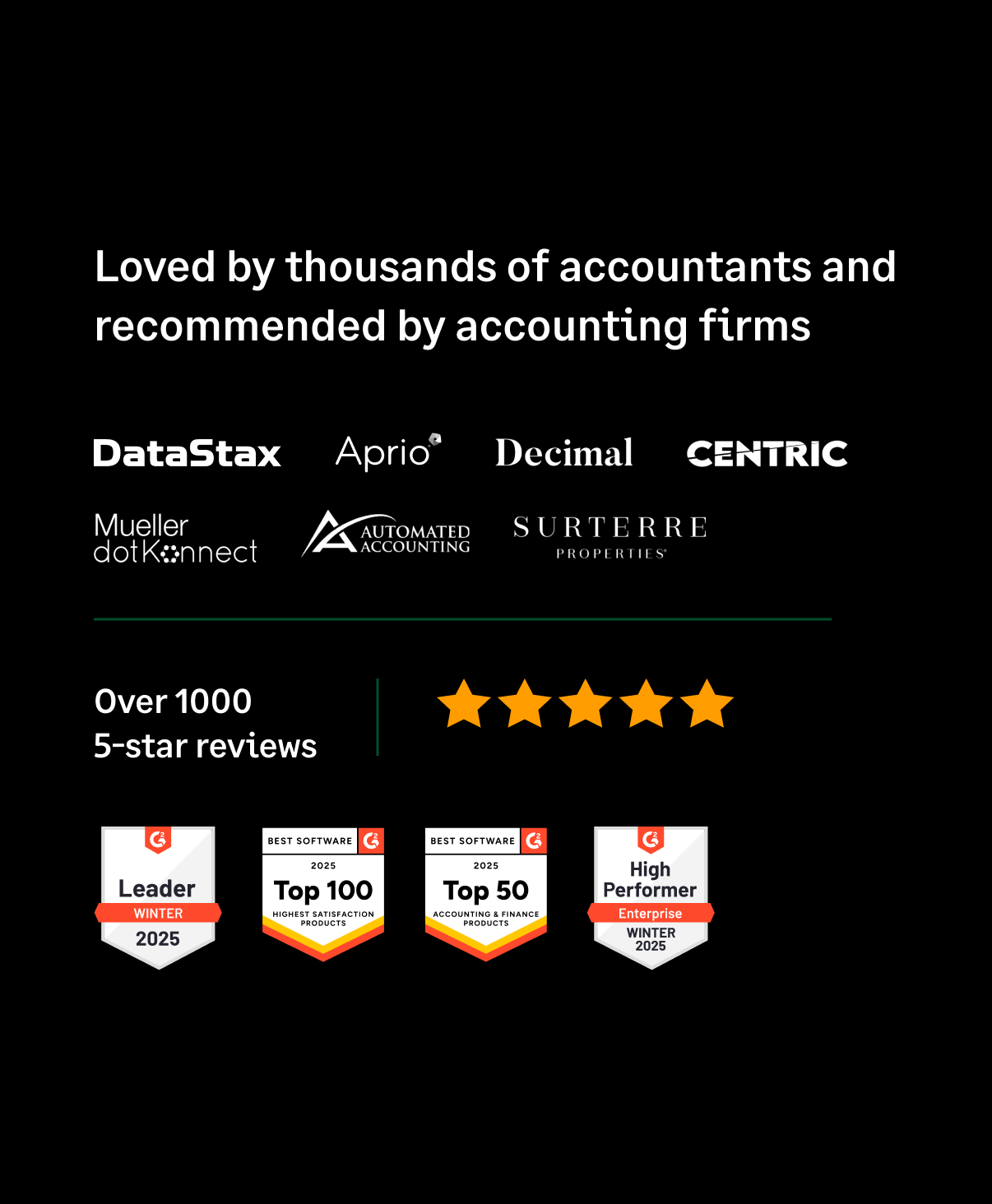
G2 Leader
G2 High Performer
G2 Best Software Satisfaction 2025
G2 Best Software Accounting & Finance 2025
G2 Momentum Leader
G2 Most Implementable
Get a Demo